ReSharper or CodeRush
Both ReSharper and CodeRush are Visual Studio add-in products that enormously enhance your productivity and the quality of your code. They do this in ways big and small but the three I consider essential are:- Making it very easy to refactor your code
- Radically reducing the amount of typing you have to do.
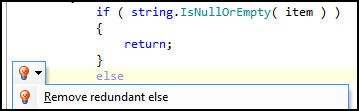
- Finding errors and superfluous code.
That is, you type less and end up with better code. Nice. Neither product is free, but having at least one is essential.
Fiddler and FireBug
Fiddler logs all the HTTP and HTTPs traffic between your computer and the Internet. You can inspect the logged data just as you might in a debugger, and most important it has a scripting system and is extensible with C# (or any .NET language). Even nicer, Fiddler is free and works on IE, Firefox, and just about all the other browsers you can shake a stick at
FireBug is the single most popular web development tool, and for good reason. With it, you can in real time inspect and modify HTML in a web page, make use of a surprisingly powerful javascript debuger and obtain detailed measurements and profiling of network activity. Don’t leave home without it.Tortoise SVN
If you are on a pc and you want SVN as your version control, then the decision tree has only one node: Tortoise SVN – it is free, GPL and works as a shell extension so it is wicked intuitive.It is a Subversion client, implemented as a windows shell extension. TortoiseSVN is a really easy to use Revision control / version control / source control software for Windows.
Since it's not an integration for a specific IDE you can use it with whatever development tools you like.Compare/Merge Tool
There are several but ones that I recommend for their ease of use and intuitiveness are:
Snip It Pro
It makes creating and managing snippets (and sets of snippets) a breeze, it gets out of the way when you don’t need it, and while its basic functionality is obvious and intuitive, it has some additional features that are just sweet as pie. And for its equivalent online version you can check out snipprl.com which acts as a social snippet repository and you can discover other useful code snippets uploaded by other users as well.
Notepad++
This is a true gem for me. Notepad++ is a free (as in "free speech" and also as in "free beer") source code editor and Notepad replacement that supports several languages. Running in the MS Windows environment, its use is governed by GPL License.
Based on the powerful editing component Scintilla, Notepad++ is written in C++ and uses pure Win32 API and STL which ensures a higher execution speed and smaller program size. By optimizing as many routines as possible without losing user friendliness, Notepad++ is trying to reduce the world carbon dioxide emissions. When using less CPU power, the PC can throttle down and reduce power consumption, resulting in a greener environment.Keep yourself updated and upgraded!
A programmer needs to be up-to-date with his skill sets and should refer to various blogs and resources in doing so. One of the good sites for this is coder.io which is basically a link aggregator and you can customize your set of subscription selections as well.
Tuesday, August 31, 2010
12 essential utilities for a programmer!!
This article reflects the interest of a .NET developer and following are his essential tools:


Monday, August 23, 2010
Few ways to download torrents anonymously.
With anti-piracy outfits and dubious law-firms policing BitTorrent swarms at an increasing rate, many BitTorrent users are looking for ways to hide their identities from the outside world. Here's an overview of five widely used privacy services.
The services discussed in this post range from totally free to costing several dollars a month. The general rule is that free services are generally slower or have other restrictions, while paid ones can get you the same speeds as your regular connection would.
Unlike the other services listed in this article, VPNs are not limited to just BitTorrent traffic, they will also conceal the source of all the other traffic on your connection too. Ipredator, Itshidden and StrongVPN are popular among BitTorrent users, but a Google search should find dozens more. It is recommended to ask beforehand if BitTorrent traffic is permitted on the service of your choice.
After these words of praise we're obligated to disclose that BTGuard is operated by friends of TorrentFreak, but we think that should be interpreted as a recommendation.
Anomos is one of the few free multi-platform solutions for BitTorrent users to hide their IP-addresses. The downside is that it's not fully compatible with regular torrent files as Anomos uses its own atorrent format. Another drawback is that the download speeds are generally lower than regular BitTorrent transfers.
On the uTorrent Idea Bank, more than 1,600 people have asked for the Anomos protocol to be built into a future uTorrent build, making it the second most-popular suggestion overall.
The services discussed in this post range from totally free to costing several dollars a month. The general rule is that free services are generally slower or have other restrictions, while paid ones can get you the same speeds as your regular connection would.
VPN (paid / free)
Hundreds and thousands of BitTorrent users have already discovered that a VPN is a good way to ensure privacy while using BitTorrent. For a few dollars a month VPNs route all your traffic through their servers, hiding your IP address from the public. Some VPNs also offer a free plan, but these are significantly slower and not really suited for more demanding BitTorrent users.Unlike the other services listed in this article, VPNs are not limited to just BitTorrent traffic, they will also conceal the source of all the other traffic on your connection too. Ipredator, Itshidden and StrongVPN are popular among BitTorrent users, but a Google search should find dozens more. It is recommended to ask beforehand if BitTorrent traffic is permitted on the service of your choice.
BTGuard (paid)
BTGuard is a proxy service that hides the IP-addresses of its users from the public. The service works on Windows, Mac, Linux and as the name already suggests, it is set up specifically with BitTorrent users in mind. Besides using the pre-configured client, users can also set up their own client to work with BTGuard. It works with all clients that support "Socks V5″ proxies including uTorrent and Vuze. In addition, BTGuard also includes encryption tunnel software for the real security purists.After these words of praise we're obligated to disclose that BTGuard is operated by friends of TorrentFreak, but we think that should be interpreted as a recommendation.
TorrentPrivacy (paid)
Torrentprivacy is another proxy service for BitTorrent users, very similar to that of BTGuard. It offers a modified uTorrent client that has all the necessary settings pre-configured. The downside to this approach is that it is limited to users on Windows platforms. TorrentPrivacy is operated by the TorrentReactor.net team and has been in business for more than two years.Anomos (free)
"Anomos is a pseudonymous, encrypted multi-peer-to-peer file distribution protocol. It is based on the peer/tracker concept of BitTorrent in combination with an onion routing anonymization layer, with the added benefit of end-to-end encryption," is how the Anomos team describes its project.Anomos is one of the few free multi-platform solutions for BitTorrent users to hide their IP-addresses. The downside is that it's not fully compatible with regular torrent files as Anomos uses its own atorrent format. Another drawback is that the download speeds are generally lower than regular BitTorrent transfers.
On the uTorrent Idea Bank, more than 1,600 people have asked for the Anomos protocol to be built into a future uTorrent build, making it the second most-popular suggestion overall.
Seedbox (paid)
A seedbox is BitTorrent jargon for a dedicated high-speed server, used exclusively for torrent transfers. With a seedbox users generally get very high download speeds while their IP-addresses are not shared with the public. Once a download is finished users can download the files to their PC through a fast http connection. FileShareFreak periodically reviews several good seedbox providers.Wednesday, August 18, 2010
Monday, August 16, 2010
What's New in the .NET Framework 4
.What's New in the .NET Framework 4: "What's New in the .NET Framework 4
Tuesday, August 10, 2010
Monday, August 9, 2010
Function keys as primary keys in Dell Inspiron and Studio models
When I got my Dell Studio 1558, the first thing that I noticed was the multimedia keys on the top row which made the function keys secondary. Then I had to press the "Fn" key for the actual function keys. Yikes! But theres a really simple solution for this. Just go the BIOS settings and from there you can alter the function keys making the actual function keys as the primary ones.
Steps:
Cheers. This should work in both Dell Inspiron and Studio models.
Steps:
- Enter BIOS when your laptop is starting up (By hitting F2
or F12 and then selecting ). - There should be an "Advanced", select it.
- Select "Function Key Behaviour" which should list down following options:
- Function Key First (Select this option)
- Multimedia Key First
- Save and exit.
Cheers. This should work in both Dell Inspiron and Studio models.
Saturday, August 7, 2010
Timelapse trial using CHDK
This timelapse video was made using timelapse script in CHDK and the camera used was Canon Powershot SX200 IS.
Subscribe to:
Comments (Atom)