ReSharper or CodeRush
Both ReSharper and CodeRush are Visual Studio add-in products that enormously enhance your productivity and the quality of your code. They do this in ways big and small but the three I consider essential are:- Making it very easy to refactor your code
- Radically reducing the amount of typing you have to do.
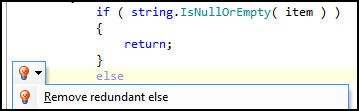
- Finding errors and superfluous code.
That is, you type less and end up with better code. Nice. Neither product is free, but having at least one is essential.
Fiddler and FireBug
Fiddler logs all the HTTP and HTTPs traffic between your computer and the Internet. You can inspect the logged data just as you might in a debugger, and most important it has a scripting system and is extensible with C# (or any .NET language). Even nicer, Fiddler is free and works on IE, Firefox, and just about all the other browsers you can shake a stick at
FireBug is the single most popular web development tool, and for good reason. With it, you can in real time inspect and modify HTML in a web page, make use of a surprisingly powerful javascript debuger and obtain detailed measurements and profiling of network activity. Don’t leave home without it.Tortoise SVN
If you are on a pc and you want SVN as your version control, then the decision tree has only one node: Tortoise SVN – it is free, GPL and works as a shell extension so it is wicked intuitive.It is a Subversion client, implemented as a windows shell extension. TortoiseSVN is a really easy to use Revision control / version control / source control software for Windows.
Since it's not an integration for a specific IDE you can use it with whatever development tools you like.Compare/Merge Tool
There are several but ones that I recommend for their ease of use and intuitiveness are:
Snip It Pro
It makes creating and managing snippets (and sets of snippets) a breeze, it gets out of the way when you don’t need it, and while its basic functionality is obvious and intuitive, it has some additional features that are just sweet as pie. And for its equivalent online version you can check out snipprl.com which acts as a social snippet repository and you can discover other useful code snippets uploaded by other users as well.
Notepad++
This is a true gem for me. Notepad++ is a free (as in "free speech" and also as in "free beer") source code editor and Notepad replacement that supports several languages. Running in the MS Windows environment, its use is governed by GPL License.
Based on the powerful editing component Scintilla, Notepad++ is written in C++ and uses pure Win32 API and STL which ensures a higher execution speed and smaller program size. By optimizing as many routines as possible without losing user friendliness, Notepad++ is trying to reduce the world carbon dioxide emissions. When using less CPU power, the PC can throttle down and reduce power consumption, resulting in a greener environment.Keep yourself updated and upgraded!
A programmer needs to be up-to-date with his skill sets and should refer to various blogs and resources in doing so. One of the good sites for this is coder.io which is basically a link aggregator and you can customize your set of subscription selections as well.
Tuesday, August 31, 2010
12 essential utilities for a programmer!!
This article reflects the interest of a .NET developer and following are his essential tools:


Subscribe to:
Post Comments (Atom)
No comments:
Post a Comment