ReSharper or CodeRush
Both ReSharper and CodeRush are Visual Studio add-in products that enormously enhance your productivity and the quality of your code. They do this in ways big and small but the three I consider essential are:- Making it very easy to refactor your code
- Radically reducing the amount of typing you have to do.
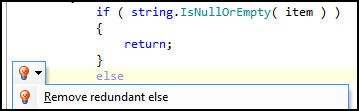
- Finding errors and superfluous code.
That is, you type less and end up with better code. Nice. Neither product is free, but having at least one is essential.
Fiddler and FireBug
Fiddler logs all the HTTP and HTTPs traffic between your computer and the Internet. You can inspect the logged data just as you might in a debugger, and most important it has a scripting system and is extensible with C# (or any .NET language). Even nicer, Fiddler is free and works on IE, Firefox, and just about all the other browsers you can shake a stick at
FireBug is the single most popular web development tool, and for good reason. With it, you can in real time inspect and modify HTML in a web page, make use of a surprisingly powerful javascript debuger and obtain detailed measurements and profiling of network activity. Don’t leave home without it.Tortoise SVN
If you are on a pc and you want SVN as your version control, then the decision tree has only one node: Tortoise SVN – it is free, GPL and works as a shell extension so it is wicked intuitive.It is a Subversion client, implemented as a windows shell extension. TortoiseSVN is a really easy to use Revision control / version control / source control software for Windows.
Since it's not an integration for a specific IDE you can use it with whatever development tools you like.Compare/Merge Tool
There are several but ones that I recommend for their ease of use and intuitiveness are:
Snip It Pro
It makes creating and managing snippets (and sets of snippets) a breeze, it gets out of the way when you don’t need it, and while its basic functionality is obvious and intuitive, it has some additional features that are just sweet as pie. And for its equivalent online version you can check out snipprl.com which acts as a social snippet repository and you can discover other useful code snippets uploaded by other users as well.
Notepad++
This is a true gem for me. Notepad++ is a free (as in "free speech" and also as in "free beer") source code editor and Notepad replacement that supports several languages. Running in the MS Windows environment, its use is governed by GPL License.
Based on the powerful editing component Scintilla, Notepad++ is written in C++ and uses pure Win32 API and STL which ensures a higher execution speed and smaller program size. By optimizing as many routines as possible without losing user friendliness, Notepad++ is trying to reduce the world carbon dioxide emissions. When using less CPU power, the PC can throttle down and reduce power consumption, resulting in a greener environment.Keep yourself updated and upgraded!
A programmer needs to be up-to-date with his skill sets and should refer to various blogs and resources in doing so. One of the good sites for this is coder.io which is basically a link aggregator and you can customize your set of subscription selections as well.
Tuesday, August 31, 2010
12 essential utilities for a programmer!!
This article reflects the interest of a .NET developer and following are his essential tools:


Monday, August 23, 2010
Few ways to download torrents anonymously.
With anti-piracy outfits and dubious law-firms policing BitTorrent swarms at an increasing rate, many BitTorrent users are looking for ways to hide their identities from the outside world. Here's an overview of five widely used privacy services.
The services discussed in this post range from totally free to costing several dollars a month. The general rule is that free services are generally slower or have other restrictions, while paid ones can get you the same speeds as your regular connection would.
Unlike the other services listed in this article, VPNs are not limited to just BitTorrent traffic, they will also conceal the source of all the other traffic on your connection too. Ipredator, Itshidden and StrongVPN are popular among BitTorrent users, but a Google search should find dozens more. It is recommended to ask beforehand if BitTorrent traffic is permitted on the service of your choice.
After these words of praise we're obligated to disclose that BTGuard is operated by friends of TorrentFreak, but we think that should be interpreted as a recommendation.
Anomos is one of the few free multi-platform solutions for BitTorrent users to hide their IP-addresses. The downside is that it's not fully compatible with regular torrent files as Anomos uses its own atorrent format. Another drawback is that the download speeds are generally lower than regular BitTorrent transfers.
On the uTorrent Idea Bank, more than 1,600 people have asked for the Anomos protocol to be built into a future uTorrent build, making it the second most-popular suggestion overall.
The services discussed in this post range from totally free to costing several dollars a month. The general rule is that free services are generally slower or have other restrictions, while paid ones can get you the same speeds as your regular connection would.
VPN (paid / free)
Hundreds and thousands of BitTorrent users have already discovered that a VPN is a good way to ensure privacy while using BitTorrent. For a few dollars a month VPNs route all your traffic through their servers, hiding your IP address from the public. Some VPNs also offer a free plan, but these are significantly slower and not really suited for more demanding BitTorrent users.Unlike the other services listed in this article, VPNs are not limited to just BitTorrent traffic, they will also conceal the source of all the other traffic on your connection too. Ipredator, Itshidden and StrongVPN are popular among BitTorrent users, but a Google search should find dozens more. It is recommended to ask beforehand if BitTorrent traffic is permitted on the service of your choice.
BTGuard (paid)
BTGuard is a proxy service that hides the IP-addresses of its users from the public. The service works on Windows, Mac, Linux and as the name already suggests, it is set up specifically with BitTorrent users in mind. Besides using the pre-configured client, users can also set up their own client to work with BTGuard. It works with all clients that support "Socks V5″ proxies including uTorrent and Vuze. In addition, BTGuard also includes encryption tunnel software for the real security purists.After these words of praise we're obligated to disclose that BTGuard is operated by friends of TorrentFreak, but we think that should be interpreted as a recommendation.
TorrentPrivacy (paid)
Torrentprivacy is another proxy service for BitTorrent users, very similar to that of BTGuard. It offers a modified uTorrent client that has all the necessary settings pre-configured. The downside to this approach is that it is limited to users on Windows platforms. TorrentPrivacy is operated by the TorrentReactor.net team and has been in business for more than two years.Anomos (free)
"Anomos is a pseudonymous, encrypted multi-peer-to-peer file distribution protocol. It is based on the peer/tracker concept of BitTorrent in combination with an onion routing anonymization layer, with the added benefit of end-to-end encryption," is how the Anomos team describes its project.Anomos is one of the few free multi-platform solutions for BitTorrent users to hide their IP-addresses. The downside is that it's not fully compatible with regular torrent files as Anomos uses its own atorrent format. Another drawback is that the download speeds are generally lower than regular BitTorrent transfers.
On the uTorrent Idea Bank, more than 1,600 people have asked for the Anomos protocol to be built into a future uTorrent build, making it the second most-popular suggestion overall.
Seedbox (paid)
A seedbox is BitTorrent jargon for a dedicated high-speed server, used exclusively for torrent transfers. With a seedbox users generally get very high download speeds while their IP-addresses are not shared with the public. Once a download is finished users can download the files to their PC through a fast http connection. FileShareFreak periodically reviews several good seedbox providers.Wednesday, August 18, 2010
Monday, August 16, 2010
What's New in the .NET Framework 4
.What's New in the .NET Framework 4: "What's New in the .NET Framework 4
Tuesday, August 10, 2010
Monday, August 9, 2010
Function keys as primary keys in Dell Inspiron and Studio models
When I got my Dell Studio 1558, the first thing that I noticed was the multimedia keys on the top row which made the function keys secondary. Then I had to press the "Fn" key for the actual function keys. Yikes! But theres a really simple solution for this. Just go the BIOS settings and from there you can alter the function keys making the actual function keys as the primary ones.
Steps:
Cheers. This should work in both Dell Inspiron and Studio models.
Steps:
- Enter BIOS when your laptop is starting up (By hitting F2
or F12 and then selecting ). - There should be an "Advanced", select it.
- Select "Function Key Behaviour" which should list down following options:
- Function Key First (Select this option)
- Multimedia Key First
- Save and exit.
Cheers. This should work in both Dell Inspiron and Studio models.
Saturday, August 7, 2010
Timelapse trial using CHDK
This timelapse video was made using timelapse script in CHDK and the camera used was Canon Powershot SX200 IS.
Wednesday, August 4, 2010
Palindrome tests in C#
I was playing with the code to determine whether a word is a Palindrome or not. A palindrome is a word, phrase, number or other sequence of units that can be read the same way in either direction. This is a simple problem requiring few lines of codes but then I started tweaking the code and came up with few ways to do so and tracked the timing of each chunk of codes.
You can view the code and corresponding findings below:
This method proved to be one of the most efficient which followed the divide and conquer logic:
You can view the code and corresponding findings below:
This method proved to be one of the most efficient which followed the divide and conquer logic:
public static bool Check(string word)This method still has a room for improvement in terms of efficiency by going into the roots of char array instead of using its wrapper string type. This gives the fastest method to calculate the palindrome. So our new method is:
{
// Check length of the string for even or odd
var length = word.Length;
if (word == null || length == 0)
{
return false;
}
for (var i = 0; i < length / 2; i++)
{
if (word[i] != word[(length - 1) - i])
{
return false;
}
}
return true;
}
public static bool Check1(char[] word)But the easiest way to determine a word as a palindrome will be by the following piece of code:
{
// Check length of the string for even or odd
var length = word.Length;
if (word == null || length == 0)
{
return false;
}
for (var i = 0; i < length / 2; i++)
{
if (word[i] != word[(length - 1) - i])
{
return false;
}
}
return true;
}
public static bool Check2(string word)It's short and sweet but beware this is the costliest one since it reverses the string first which requires traversing through all the characters in the string!!!Finally, just for fun I tried a recursive algorithm which turns to be faster than the method defined just above for smaller strings but for larger strings it will be costlier because the deeper it goes the more memory it requires.
{
return (word.Equals(word.Reverse()));
}
public static bool Check3(string word)
{
    return CheckRecursive(0, word.Length - 1, word);
}
public static bool CheckRecursive(int first, int last, string word)
{

    if (word[first] != word[last] || first > last)
        return false;
    else if (word[first] == word[last])
    {
        CheckRecursive((first + 1), (last - 1), word);
        return true;
    }

    return false;
}
Tuesday, August 3, 2010
Converting array of type T to generic List<T>
This requires a very simple code with just the initializer of the generic list but yet when I googled it I didn't get much out of them on the first search result page.
For our case lets consider the string type. The following code exemplifies how an array of string can be converted to a generic list of string type.
And yes there you have it! Its just that simple.
For our case lets consider the string type. The following code exemplifies how an array of string can be converted to a generic list of string type.
string[] arrayOfString = new string[] { "Just", "an", "example."};
List listOfString = new List(arrayOfString);
And yes there you have it! Its just that simple.
Thursday, July 29, 2010
ASP.NET webforms best practices
- Don’t write .NET code directly in your ASPX markup (unless it is for databinding, i.e. Eval statements). If you also have a code behind, this will put your code for a page in more than one place and makes the code less manageable. Put all .NET code in your code-behind. Things can get complex and difficult to debug very quickly when you’re looking at code executing in two different places.
- SessionPageStatePersister can be used in conjunction with ViewState to make ViewState useful without increasing page sizes. Overriding the Page’s PageStatePersister with a new SessionPageStatePersister will store all ViewState data in memory, and will only store an encrypted key on the client side. This will make your pages smaller and download faster if you have a lot of ViewState data for some reason, however it will increase your memory usage on the server – so tread carefully. See example below for how to use SessionPageStatePersister.
public override PageStatePersister GetStatePersister()
{
    return new SessionPageStatePersister(this);
}
Create a BasePage that your pages can inherit from in order to reuse common code between pages. Simple object oriented design principles – if you have common functions between pages, like security for example – put it in a base class that inherits from System.Web.Page, and have your pages inherit from that base page.- Create a MasterPage for your pages for visual inheritance. Don’t use ASP server-side includes. Pages with vastly different visual styles should use a different MasterPage. Don’t use a Master page for code inheritance.
- Make use of the ASP.NET Cache in order to cache frequently used information from your database. Build (or reuse) a generic caching layer that will wrap the ASP.NET Cache. If you’re loading the same list from the database into a drop down every time a page loads, you should be pulling that list from the cache based on how dynamic it needs to be.
- Wrap ViewState objects with Properties on your Pages to avoid development mistakes in spelling, etc. when referencing items from the ViewState collection. For example, you should only have ViewState["key"] once in your page per property. See example below.
private int SampleId
{
    get { return ViewState["SampleId"] == null ? 0 : (int)ViewState["SampleId"]; }

    set { ViewState["SampleId"] = value; }
}
- Avoid putting large objects and object graphs in ViewState, use it mainly for storing IDs or very simple DTO objects. This is the reason people always complain about huge viewstate – they’re storing something like DataSets in ViewState (terrible idea). If you stick to small objects with a limited number of properties or just integer IDs, your ViewState data will not be unmanageably large and ViewState is totally usable.
- Wrap the ASP.NET Session with a SessionManager class to avoid development mistakes in spelling, etc. when referencing items from Session. Just another way to cut down simple development mistakes.
- Make extensive use of the applicationSettings key/value configuration values in the web.config – wrap the Configuration.ApplicationSettings with a class that can be used to easily retrieve strongly-typed configuration settings without having to remember the keys from the web.config. If you have settings, behaviors, etc. that need to change between different deployments of your application, those should be control via settings in the web.config. For example, we’ll often get requests like ‘We want feature X to go live at the end of the month” – so build, test, and deploy the update ahead of time. But, add a web.config value that controls whether or not the feature appears i.e. FeatureXEnabled=”False”, on the day of go live just flip it to “True”.
- Avoid the easiness of setting display properties on your UI controls, instead use CSS styles and classes – this will make your styles more manageable. Just a general web development best practice.
- Create UserControls in your application in order to reuse common UI functionality throughout your pages. For example, if a drop down list containing a collection of categories will be used in many places in the site – create a CategoryPicker control that will data bind itself when the page is loaded. This is my #1 time-saving best practice, yet I’m always surprised how often I see the same drop down list with the same data getting used the same way on 20 different pages – yet the same type-unsafe databinding logic is duplicated 20 times!
- Use Properties on your UserControls to setup things like default values, different displays between pages, etc. Value type properties can be defined on your UserControls and then be set in your ASP.NET markup by using class level properties on UserControls. This is a great way to get even more mileage out of reusing your UserControls – watch out for increased complexity of your UserControl logic though.
- Make use of the ASP.NET validation controls to perform simple validations, or use the CustomValidator to perform complex validations.
- Create an user-friendly error handling page that can be redirected to when an unhandled exception occurs within your website. Log any exceptions that come to this page. The redirection can occur via the Page_Error event in your Base Page, the Application_Error event in your Global.asax, or within the error handling section in the web.config. Basically, whichever method you pick – make sure you’re not letting any exceptions go unhandled or unlogged!
- When working with pages that use a highly dynamic data driven display, use the 3rd party (free)DynamicControlsPlaceholder control created by Denis Bauer to simplify the code needed to save the state of dynamically added controls between postbacks. This little control has saved me countless hours of pain in creating pages with highly dynamic UserControls. One gotcha – if you use event handling delegates in a UserControl, you have to hook them up on every postback, little messy but not a big deal though usually. Event handlers are the only “state” that isn’t saved between postbacks if you use this control.
- Turn ViewState off on controls and UserControls that don’t need it.
Monday, July 26, 2010
Friday, July 23, 2010
Sending Email using ASP.NET 4
Sending and email would be an integral part of any web application and with .NET framework its very simple - you just need few lines of codes! Now here we go into the details:
For sending emails we will look into classes provided in the System.Net.Mail namespace. Previously in .NET 1.x these functionalities were in System.Web.Mail namespace which has now been deprecated. There are a bunch of classes defined in this namespace but the ones that we should be concerned about are:
For sending emails we will look into classes provided in the System.Net.Mail namespace. Previously in .NET 1.x these functionalities were in System.Web.Mail namespace which has now been deprecated. There are a bunch of classes defined in this namespace but the ones that we should be concerned about are:
- MailMessage - represents an email message; has properties like From, To, Subject, Body, and so on
- SmtpClient - sends a specified MailMessage instance to a specified SMTP server.
Having know the basics you can follow the following steps to complete the task at hand:
- Create a MailMessage object
- Assign its properties
- Create an instance of the SmtpClient class
- Specify details about the SMTP server to use (if they're not already specified within Web.config - Yes! you can provide the details of SMTP server in Web.config file but the details of it are out of scope for our task at hand - just the basics here)
- Send the MailMessage via the SmtpClient object's Send method
DOCTYPE html PUBLIC "-//W3C//DTD XHTML 1.0 Transitional//EN""http://www.w3.org/TR/xhtml1/DTD/xhtml1-transitional.dtd">
<html xmlns="http://www.w3.org/1999/xhtml">
<head runat="server">
<title>title>
head>
<body>
<form id="form1" runat="server">
<div>
Message to:
<asp:TextBox ID="txtTo" runat="server">asp:TextBox>
<br />
Message from:
<asp:TextBox ID="txtFrom" runat="server">asp:TextBox>
<br />
Subject:
<asp:TextBox ID="txtSubject" runat="server">asp:TextBox>
<br />
Message Body:
<br />
<asp:TextBox ID="txtBody" runat="server" Height="171px" TextMode="MultiLine" Width="270px"><asp:TextBox>
<br />
<asp:Button ID="Btn_SendMail" runat="server" onclick="Btn_SendMail_Click" Text="Send Email" />
<br />
<br />
<asp:Label ID="Label1" runat="server" Text="Label">asp:Label>
div>
form>
body>
html>
Code behind:
using System;
using System;
using System.Web.UI.WebControls;
using System.Net.Mail;
using System.Net.Mail;
public partial class SendMail : System.Web.UI.Page
{
protected void Btn_SendMail_Click(object sender, EventArgs e)
{
MailMessage mailObj = new MailMessage(
txtFrom.Text, txtTo.Text, txtSubject.Text, txtBody.Text);
SmtpClient SMTPServer = new SmtpClient("localhost");
try
{
SMTPServer.Send(mailObj);
}
catch (Exception ex)
{
Label1.Text = ex.ToString();
}
}
}
Wednesday, July 21, 2010
Regular Expressions aren't just regular stuffs for expressing!
Regular expressions are strings formatted using a special pattern notation that allow you to describe and parse text. Many programmers (even some good ones) disregard regular expressions as line noise, and it’s a damned shame because they come in handy so often. Once you’ve gotten the hang of them, regular expressions can be used to solve countless real world problems.
Regular expressions work a lot like the filename “globs” in Windows or *nix that allow you to specify a number of files by using the special * or ? characters (oops, did I just use a glob while defining a glob?). But with regular expressions the special characters, or metacharacters, are far more expressive.
Like globs, regular expressions treat most characters as literal text. The regular expression
rage, for example, will only match the letters r - a - g - e, in that order. But regular expressions sport an extensive set of metacharacters that make the simple glob look downright primitive.Meet the metacharacters: ^[](){}.*?\|+$ and sometimes -
I know, they look intimidating, but they’re really nice characters once you get to know them.
The Line Anchors: ‘^’ and ‘$’
The ‘^’ (caret) and ‘$’ (dollar) metacharacters represent the start and end of a line of text, respectively. As I mentioned earlier, the regular expression rage will match the letters r- a - g - e, but it will match anywhere in a line (e.g. it would match “I’m rage”, or even “barrage”). The ‘^’ character is used to anchor the match to the start of the line, so
^rage would only find lines that start with rage. Similarly, the expression rage$ would only find r - a - g - e at the end of a line (but would still match ‘barrage’).If we combine the two line anchor characters we can search for lines of text that contain a specific sequence of characters. The expression
^rage$ will only match the word rage on a line by itself - nothing more, nothing less. Similarly the expression ^$ is useful for finding empty lines, where the beginning of the line is promptly followed by the end.The Character Class: ‘[]‘
Square brackets, called a character class, let you match any one of several characters. Suppose you want to match the word ‘gray’, but also want to find it if it was spelled ‘grey’. A character class will allow you to match either. The regular expression
gr[ea]y is interpreted as “g, followed by r, followed by either an e or an a, followed by y.”If you use
[^ ... ] instead of [ ... ], the class matches any character that isn’tlisted. The leading ^ “negates” the list. Instead of listing all of the characters you want to included in the class, you list the characters you don’t want included. Note that the ^ (caret) character used here has a different meaning when it’s used outside of a character class, where it is used to match the beginning of a line.The Character Class Metacharacter: ‘-’
Within a character-class, the character-class metacharacter ‘-’ (dash) indicates a range of characters. Instead of [01234567890abcdefABCDEF] we can write [0-9a-fA-F]. How convenient. The dash is a metacharacter only within a character class, elsewhere it simply matches the normal dash character.
But wait, there’s a catch. If a dash is the first character in a character class it is not considered a metacharacter (it can’t possibly represent a range, since a range requires a beginning and an end), and will match a normal dash character. Similarly, the question mark and period are usually regex metacharacters, but not when they’re inside a class (in the class [-0-9.?] the only special character is the dash between the 0 and 9).
Matching Any Character With a Dot: ‘.’
The ‘.’ metacharacter (called a dot or point) is shorthand for a character class that matches any character. It’s very convenient when you want to match any character at a particular position in a string. Once again, the dot metacharacter is not a metacharacter when it’s inside of a character class. Are you beginning to see a pattern? The list of metacharacters is different inside and outside of a character class.
The Alternation Metacharacter: ‘|’
The ‘|’ metacharacter, (pipe) means “or.” It allows you to combine multiple expressions into a single expression that matches any of the individual ones. The subexpressions are called alternatives.
For example, Rage and
Random are separate expressions, but Rage|Randomis one expression that matches either.Parenthesis can be used to limit the scope of the alternatives. I could shorten our previous expression that matched Rage or Random with creative use of parenthesis. The expression
Ra(ge|ndom) matches the same thing. I probably would use the first expression in practice, however, as it is more legible and therefore more maintainable.Matching Optional Items: ‘?’
The ‘?’ metacharacter (question mark) means optional. It is placed after a character that is allowed, but not required, at a certain point in an expression. The question mark attaches only to the immediately preceding character.
If I wanted to match the english or american versions of the word ‘flavor’ I could use the regex
flavou?r, which is interpreted as “f, followed by l, followed by a, followed by v, followed by o, followed by an optional u, followed by r.”The Other Quantifiers: ‘+’ and ‘*’
Like the question mark, the ‘+’ (plus) and ‘*’ (star) metacharacters affect the number of times the preceding character can appear in the expression (with ‘?’ the preceding character could appear 0 or 1 times). The metacharacter ‘+’ matches one or more of the immediately preceding item, while ‘*’ matches any number of the preceding item, including 0.
If I was trying to determine the score of a soccer match by counting the number of times the announcer said the word ‘goal’ in a transcript, I might use the regular expression
go+al, which would match ‘goal’, as well as ‘gooooooooooooooooal’ (but not ‘gal’).The three metacharacters, question mark, plus, and star are called quantifiers because they influence the quantity of the item they’re attached to.
The Interval Quantifier: ‘{}’
The ‘{min, max}’ metasequence allows you to specify the number of times a particular item can match by providing your own minimum and maximum. The regex
go{1,5}alwould limit our previous example to matching between one and five o’s. The sequence {0,1} is identical to a question mark.The Escape Character: ‘\’
The ‘\’ metacharacter (backslash) is used to escape metacharacters that have special meaning so you can match them in patterns. For example, if you would like to match the ‘?’ or ‘\’ characters, you can precede them with a backslash, which removes their meaning: ‘\?’ or ‘\\’.
When used before a non-metacharacter a backslash can have a different meaning depending on the flavor of regular expression you’re using. For perl compatible regular expressions (PCREs) you can check out the perldoc page for perl regular expressions. PCREs are extremely common, this flavor of regexes can be used in PHP, Ruby, andECMAScript/Javascript, and many other languages.
Using Parenthesis for Matching: ‘()’
Most regular expression tools will allow you to capture a particular subset of an expression with parenthesis. I could match the domain portion of a URL by using an expression like
http://([^/]+). Let’s break this expression down into it’s components to see how it works.The beginning of the expression is fairly straightforward: it matches the sequence “h - t - t - p - : - / - /”. This initial sequence is followed by parenthesis, which are used tocapture the characters that match the subexpression they surround. In this case the subexpression is ‘[^/]+’, which matches any character except for ‘/’ one or more times.
Want to know more?
Want to know more?
I’ve only touched the surface on what can be done with regular expressions. If want to learn more, check out Jeffrey Friedl’s book Mastering Regular Expressions. Friedl did an outstanding job with this book, it’s accessible and a surprisingly fun and interesting read, considering the dry subject matter.
Check out my follow up to this article where I take a look at some of the most useful regular expressions for common programming tasks. And once you understand the basics read on to learn all you need to know to become a regex pro.
Subscribe to:
Comments (Atom)